Granting Remote Access Permissions to Agility Mobile in Windows Server 2008 R2
In order to be sure the Agility Mobile Application can properly launch in an RDP session in a 2008 R2 environment, you must first run the RemoteAppManager and grant permissions to run the executable file.
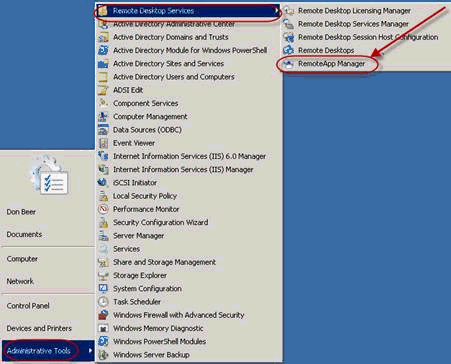
On the server, navigate to Administrative Tools, Remote Desktop Services, and then RemoteApp Manager
Figure 1: Locating RemoteApp Manager
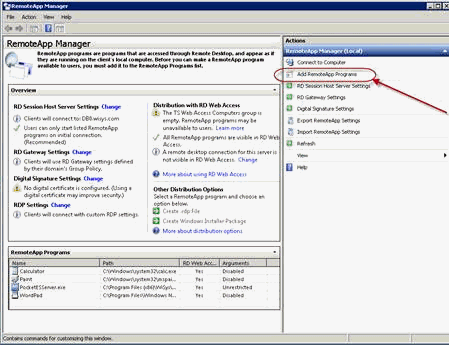
Select Add RemoteApp Programs
Figure 2: Adding Programs
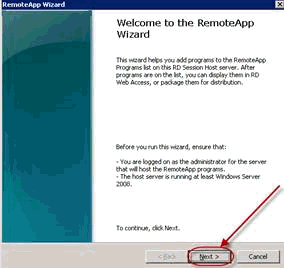
When the RemoteApp Wizard opens select Next.
Figure 3: RemoteApp Wizard
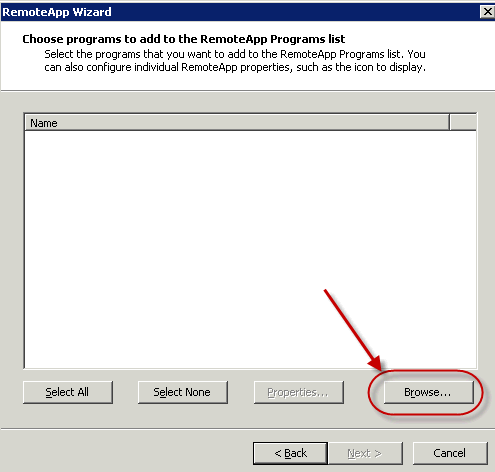
Next Click the Browse button to find the file
Figure 4: RemoteApp Wizard Browse
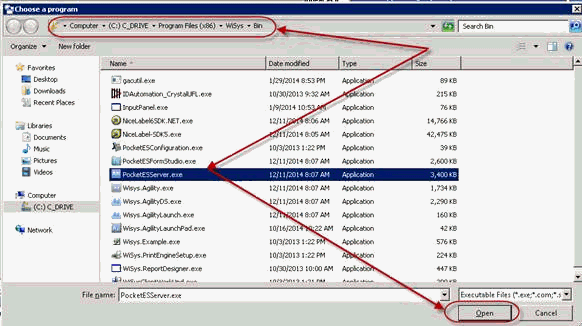
Browse to the WiSys Bin folder and find PocketESServer.exe. Highlight the file and select Open
Figure 5: Choosing the program
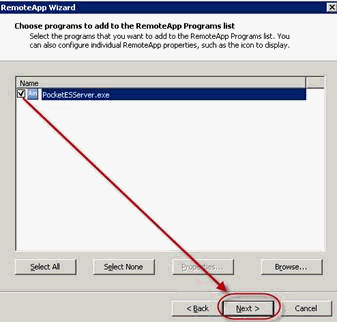
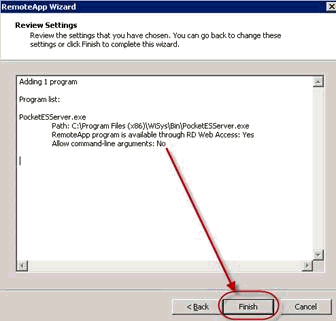
Check the PocketESServer.exe box in the wizard and click Next. Review the settings and click Finish.
Figure 6: Choosing the program in the wizard
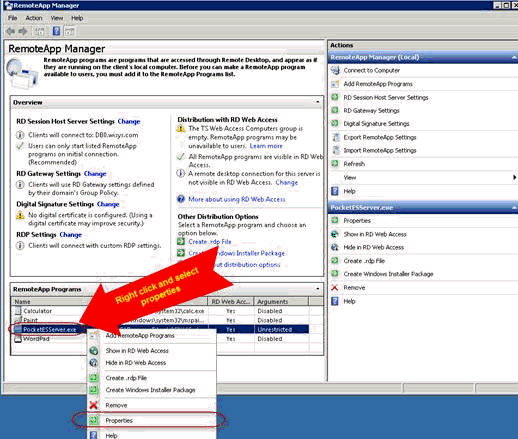
Next highlight and right click PocketESServer.exe and select Properties
Figure 7: Selecting Properties
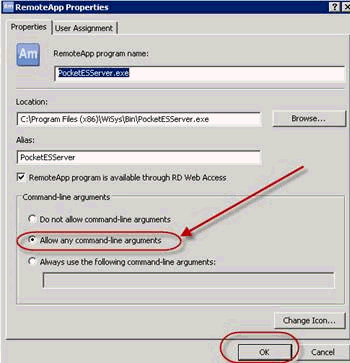
When the Properties screen opens, select "Allow any command-line arguments" and click OK.
Figure 8: Allowing command-line arguments